

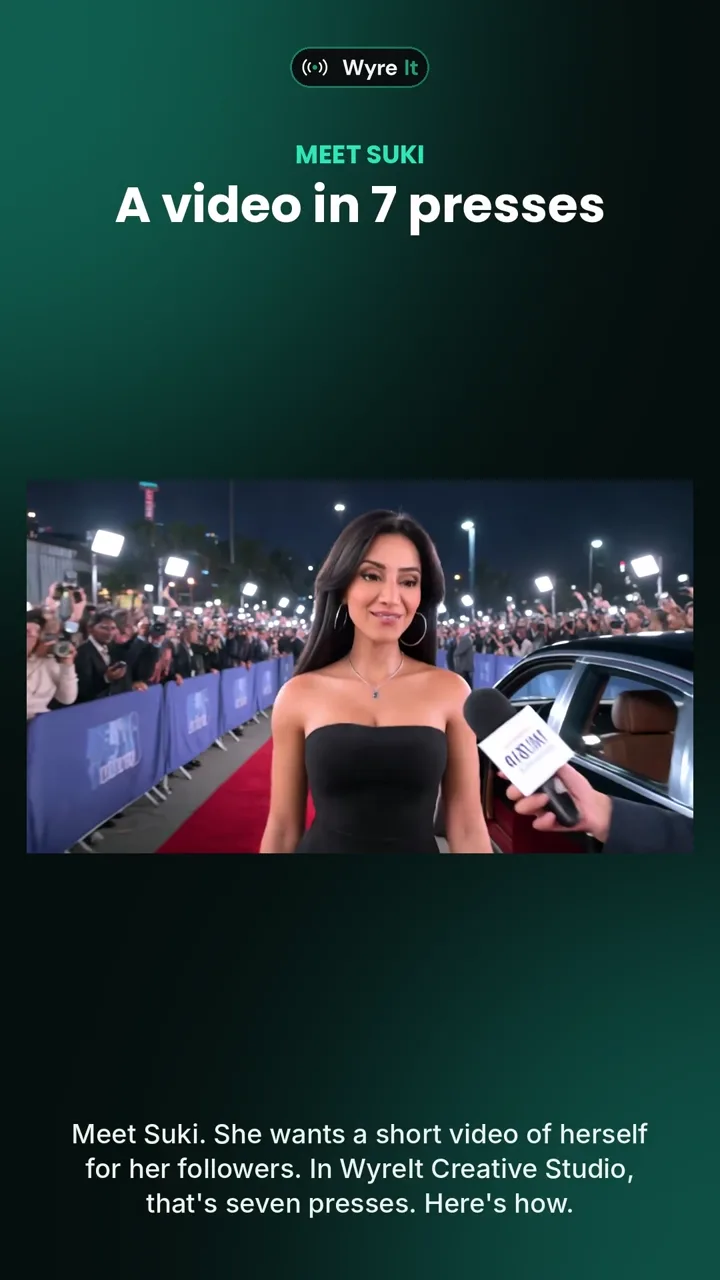
From 1 November 2026, the Creator plan makes the video as well as posting it. WyreIt Creative Studio takes a picture of you, a look, a voice and a one-line idea, and films a short scene with you in it, saying your words. Seven presses, with the next button glowing each time so you cannot get lost. Then it goes out to Facebook, Instagram, X, TikTok, LinkedIn, YouTube and Bluesky from the same screen you already post from. The Creative Studio page has the 85-second video of Suki making hers.
A note on who is writing. WyreIt is our own product, so read our view of it with that in mind. Where another tool is the better choice, this page says so.
Why we built it
Every scheduling tool, ours included, has had the same gap: it will post your video anywhere you like, as long as you turn up with a video. Most sole traders and creators do not have one. They have a phone, a photo, a few things they want to say, and no time to learn an editor. Creative Studio is for that person. You do not write a script, pick a template or move anything on a timeline. You press seven buttons.
The seven presses
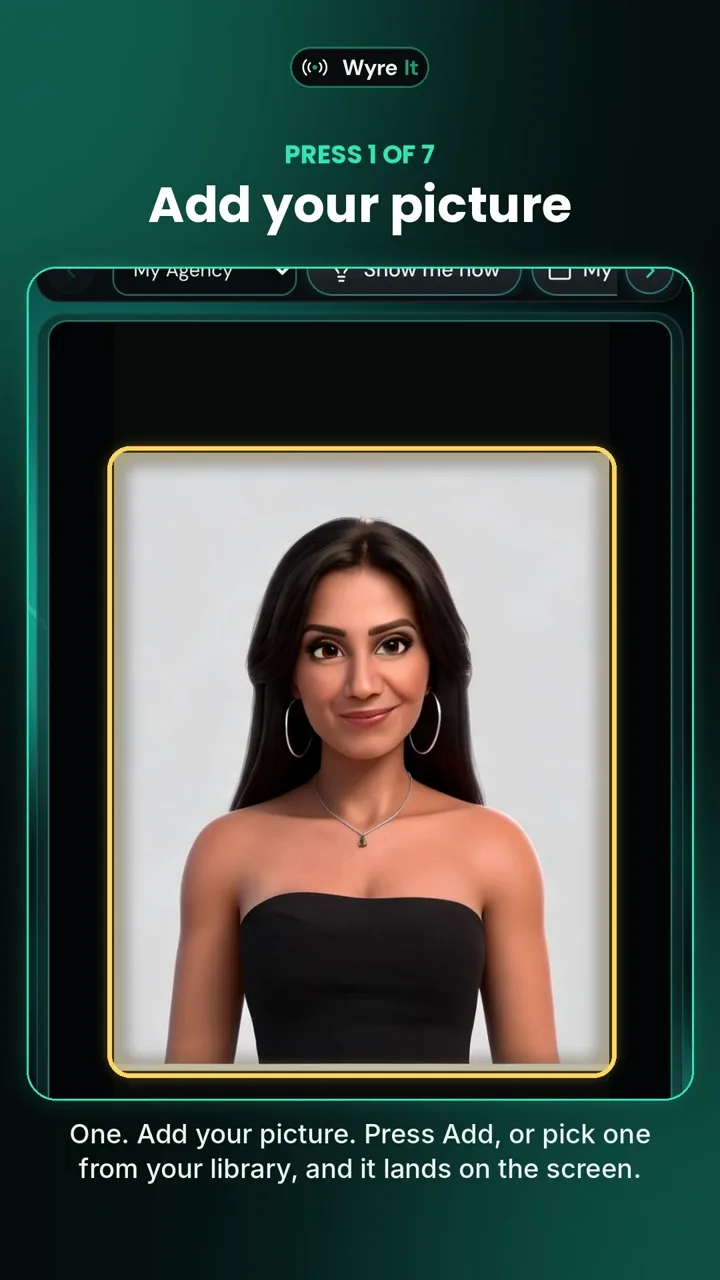
1. Add your picture
Press Add, or pick one from your library, and it lands on the screen.
2. Pick a look, or keep it
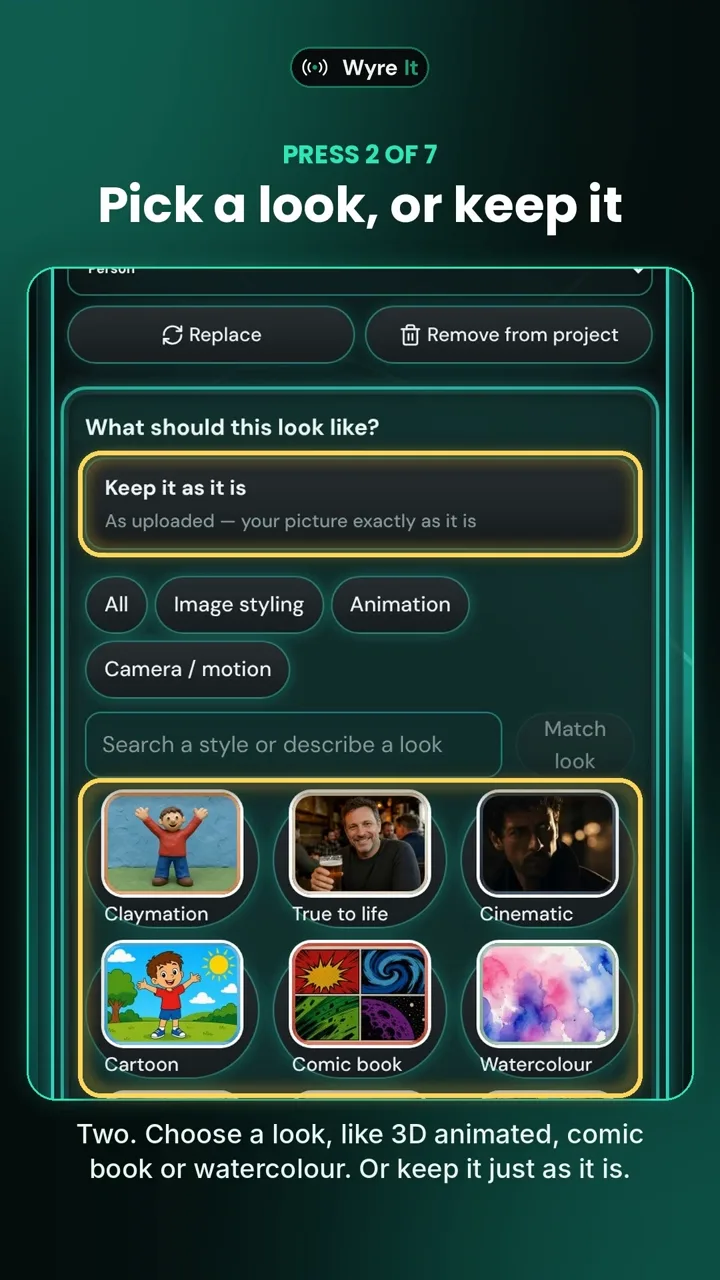
Twelve looks: true to life, cinematic, claymation, cartoon, comic book, watercolour, storybook, luxury editorial, pop art, 3D render, flat graphic and retro print. Or keep the photo just as it is.
3. Lock it in
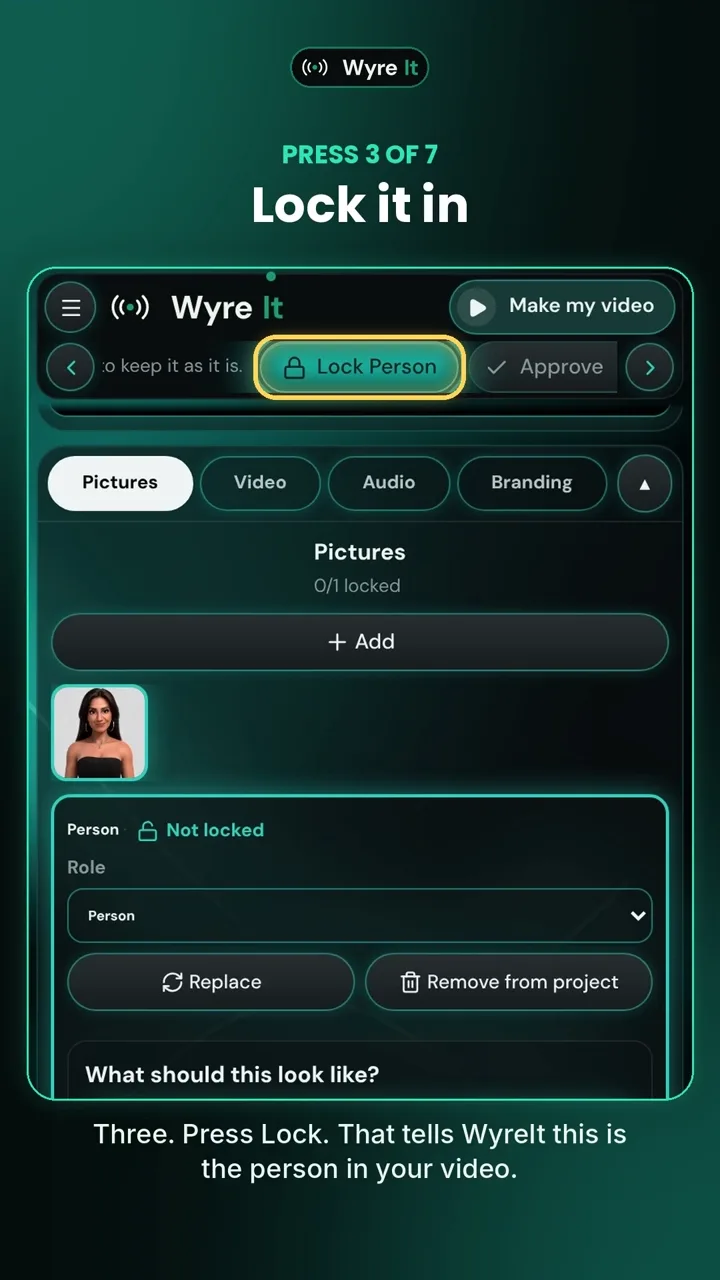
That tells WyreIt this is the person in your video. From here the next step opens itself, and the button you need glows.
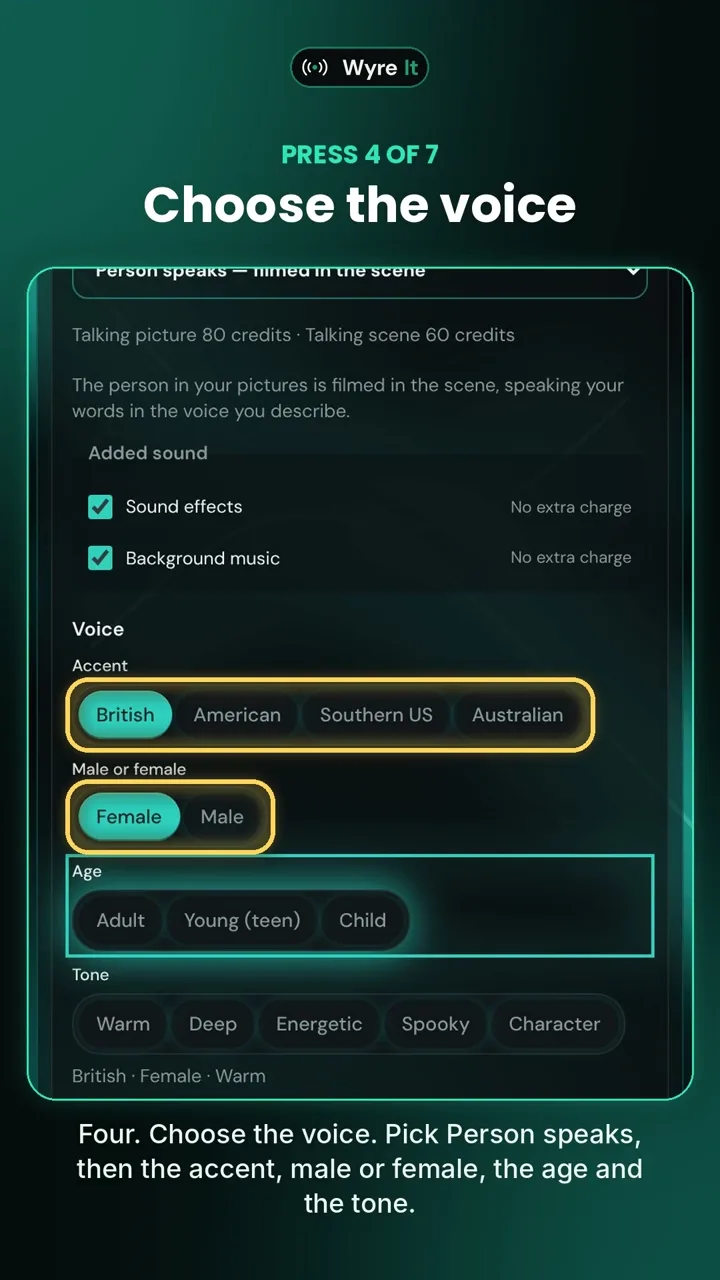
4. Choose the voice
Person speaks, then the accent, male or female, the age and the tone. Not sure? Press Choose for me. Then type the exact words she says.
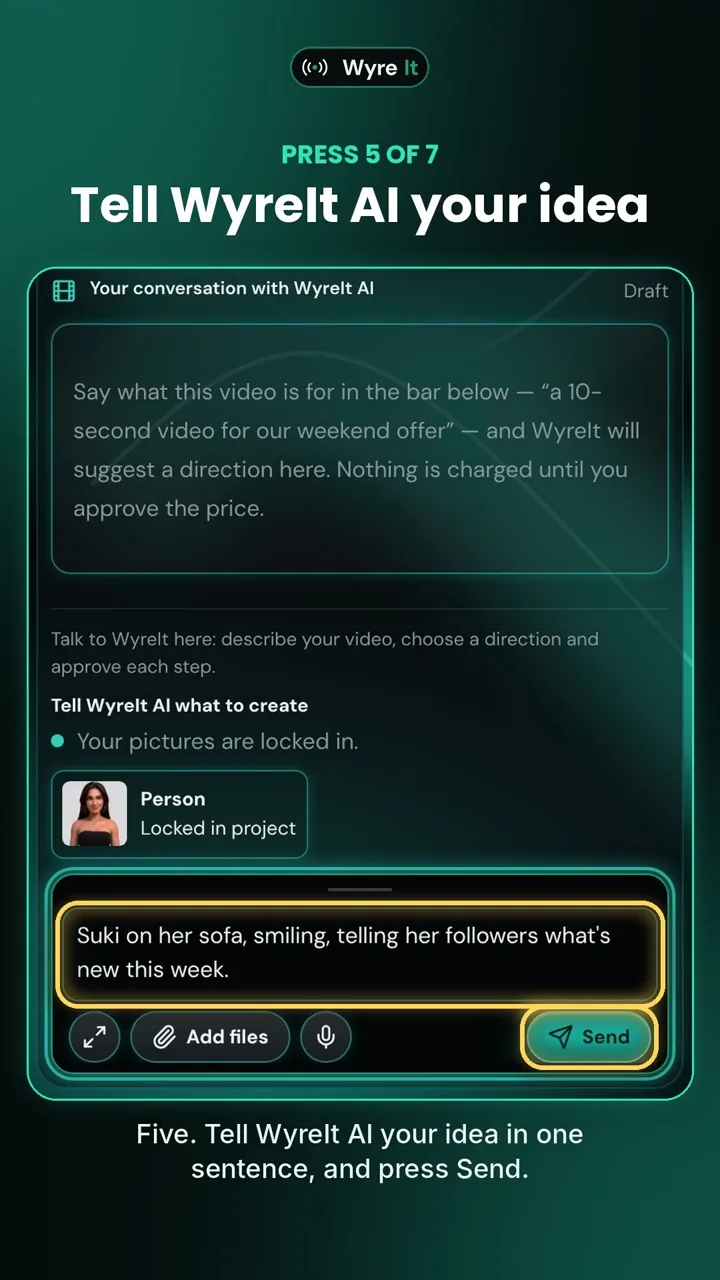
5. Tell WyreIt AI your idea
One sentence is enough: who it is for, what it is about. Press Send.
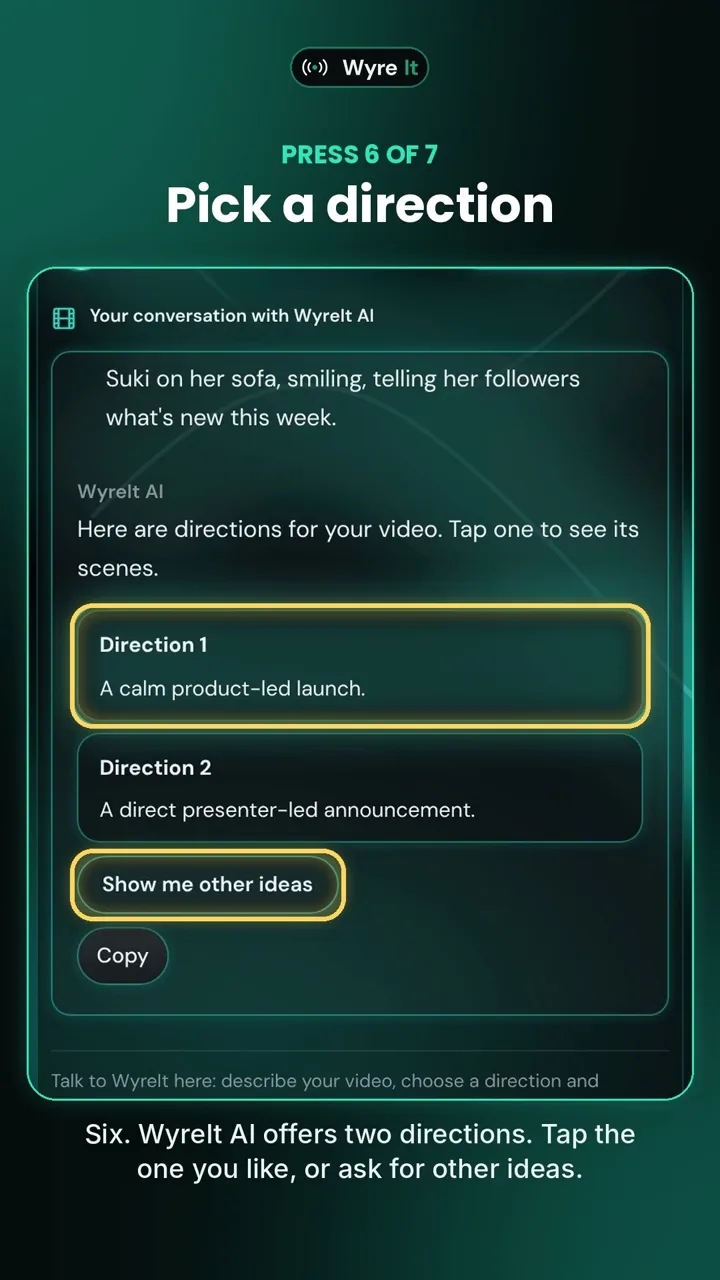
6. Pick a direction
WyreIt AI offers two directions for the scene. Tap the one you like, or ask for other ideas.
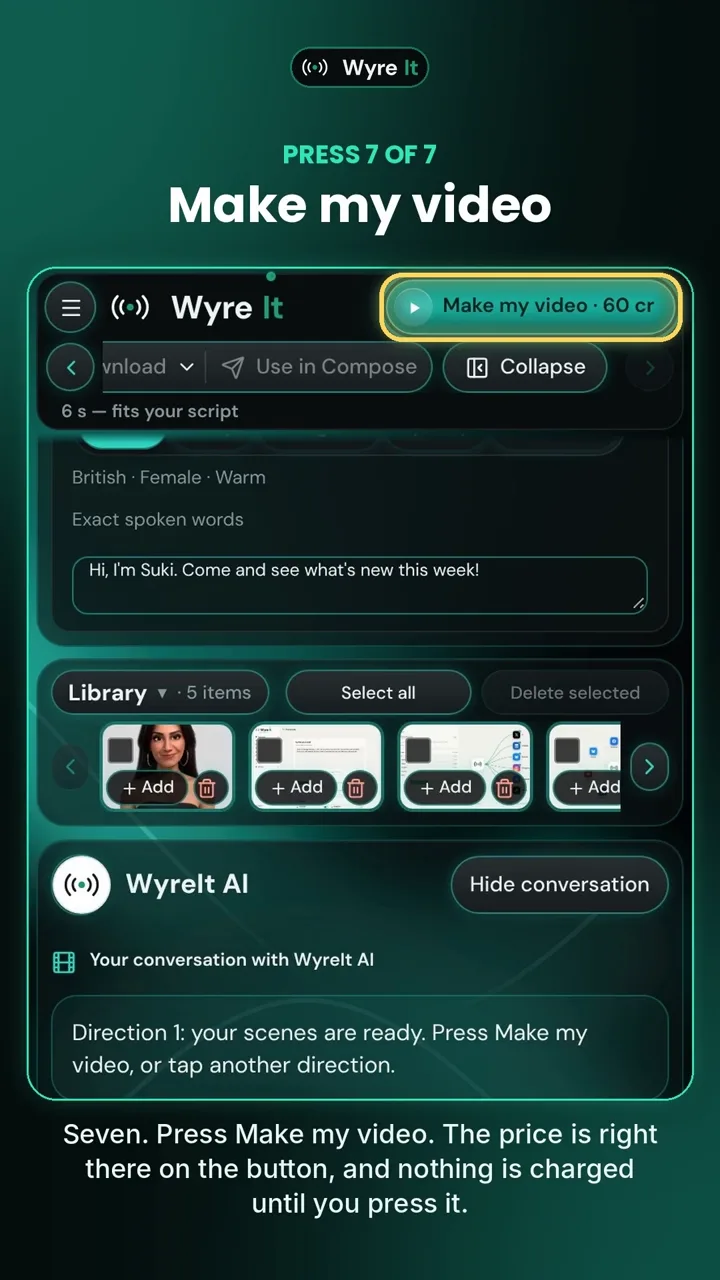
7. Make my video
The price is right there on the button, and nothing is charged until you press it. WyreIt films the scene; it takes a few minutes.
And here is the result: a short video of you, in the look you chose, saying what you typed. Download it, or use it straight in a post.
What Creative Studio makes
Everything below is in the Creator plan today.
- A video with you in it. Add a photo of yourself, lock it in, and WyreIt films a short scene with that person in it. Not a stock clip with your logo in the corner.
- Twelve looks. True to life, cinematic, claymation, cartoon, comic book, watercolour, storybook, luxury editorial, pop art, 3D render, flat graphic, retro print. Pick one, or keep the photo exactly as it is.
- Your words, spoken by you. Choose the voice: accent, male or female, age and tone. Type the exact words. The person in the picture says them.
- A director. Tell WyreIt AI the idea in one sentence. It offers two directions for the scene; tap one, or ask for more. No script, no storyboard, no prompt-writing.
- 4 to 30 seconds, three qualities, price on the button. You see the credits before you press Make my video. Nothing is charged until you do.
- AI images as well. Create and revise still visuals for the days you need a picture, not a video.
- One click to every platform. The finished video lands in your WyreIt library. Write the caption once, tick the accounts, and it goes to Facebook, Instagram (as a Reel), X, TikTok, LinkedIn, YouTube and Bluesky together.
- Then the numbers. WyreIt Analytics shows how that video did on each platform, side by side, and the inbox gathers the replies in one place.
What a video costs
Videos are paid from the AI credits that come with the plan, and the price is on the Make my video button before you press it. Clips run from 4 to 30 seconds in three qualities. Creator includes 2,000 Creative Studio credits a month, and you can top up if you run short. Nothing is charged until the last press, and asking WyreIt AI for more directions is free.
Then post it, from the same app
This is the part no video tool gives you and no scheduler gave you until now. The video lands in your WyreIt library. Write the caption once, tick the accounts it should go to, and it publishes or schedules to all of them; on Instagram it goes out as a Reel. Replies arrive in the one inbox, and WyreIt Analytics shows how it did on each platform. The long version of that is in how to post to all social media at once.
What the big five do, and do not
Buffer, Hootsuite, Later, Metricool and Sprout Social all schedule posts, and most will help write the caption; WyreIt does both, with the inbox and analytics included on every plan. As published on their own pricing pages in October 2026, none of the five makes the video. That is the difference: they post what you bring. WyreIt posts it too, and makes it. The side-by-side is in what the big five social media tools give you, and what they don't.
WyreIt in brief
WyreIt has four plans. Standard is £19 a month for any 3 platforms, with 3 extra profiles, the inbox, analytics, and AI caption and reply drafting. Pro is £49 a month for all 7 platforms (Facebook, Instagram, X, TikTok, LinkedIn, YouTube and Bluesky), with 4 extra profiles, WyreIt AI, Autopilot and 2,000 AI credits a month. Creator is £79 a month with 2,000 AI credits + 2,000 Creative Studio credits, AI images and Creative Studio video. Agency is priced by conversation. The price is for the account, not per user or per channel. There is a 14-day free trial with no card needed. The trial does not include any AI.
Creative Studio is on the Creator plan. If you are weighing it against the others, the scheduling tools for creators comparison has the prices side by side.
Frequently asked questions
Is Creative Studio included in the free trial?
No. The 14-day trial covers posting, the inbox and analytics; it does not include any AI. Creative Studio video is part of the Creator plan at £79 a month.
Can I use a picture of someone else, or a product?
You can add any picture you have the right to use. Lock in a person and WyreIt treats them as the person in the video; a product shot works as the thing the scene is about.
How long does a video take to make?
A few minutes after you press Make my video. You can carry on working in WyreIt while it films.
Which platforms can I post it to?
Facebook, Instagram, X, TikTok, LinkedIn, YouTube and Bluesky, to as many of your connected accounts as you tick.
Where can I see it being used?
The Creative Studio page plays the explainer: Suki makes her video in seven presses, start to finish, in 85 seconds.
Plans are on pricing.
WyreIt is a social media management tool for small business owners and sole traders. Post to Facebook, Instagram, X, TikTok, and more from one dashboard — at a fraction of the price of Hootsuite.